What Is Zalo Chatbot? Step-by-Step Guide to Set Up Auto-Reply in 15 Minutes
A customer messages your Zalo at 10pm asking about pricing. You see it the next morning — and they've already bought from a competitor.
Not because your team doesn't care. But because nobody can monitor Zalo 24 hours a day.
A Zalo chatbot solves exactly this: automated replies anytime, with the right content, in the right tone — while your team is asleep or handling something else.
This guide explains what a Zalo chatbot is, why your business needs one, and how to set it up in 15 minutes without any coding.
What Is a Zalo Chatbot?
A Zalo chatbot is an automated system that responds to messages on Zalo based on pre-configured scripts or AI logic. When a customer sends a message, the chatbot recognizes keywords or intent and sends back the appropriate reply — without any human involvement.
Simple examples:
- Customer sends "price" → bot sends your price list
- Customer sends "address" → bot sends your location and Google Maps link
- Customer sends "order" → bot sends the order form or handoff to a team member
More advanced chatbots can understand context, ask follow-up questions, and guide customers through a complete consultation — from initial inquiry to order confirmation.
Why Vietnamese Online Businesses Need a Zalo Chatbot
1. Zalo is Vietnam's #1 messaging channel — but no one is available 24/7
With over 74 million users, Zalo is the primary communication channel between Vietnamese businesses and their customers. Customers message on Zalo more than on Facebook or email.
But customers don't only reach out during business hours. They message at night, on weekends, and exactly when you're already handling 10 other things.
A chatbot fills that gap.
2. Response speed decides who gets the order
Research across Southeast Asian e-commerce shows 78% of buyers choose the shop that responds first — not the one with the best price.
Chatbots respond in seconds. Humans respond in minutes to hours.
3. Free your team from repetitive questions
Ask any sales team member — 60-70% of customer messages are the same questions: price, shipping, availability, return policy.
Chatbots handle all the repetitive work. Your team focuses on customers who genuinely need personalized consultation.
4. Never miss a lead — even during peak hours
During rush hours, your team is handling 20 conversations simultaneously. Message #21 arrives — and gets buried.
Chatbots never miss a message. Every inquiry receives a response within seconds.
How Does a Zalo Chatbot Work?
There are two main types of Zalo chatbots:
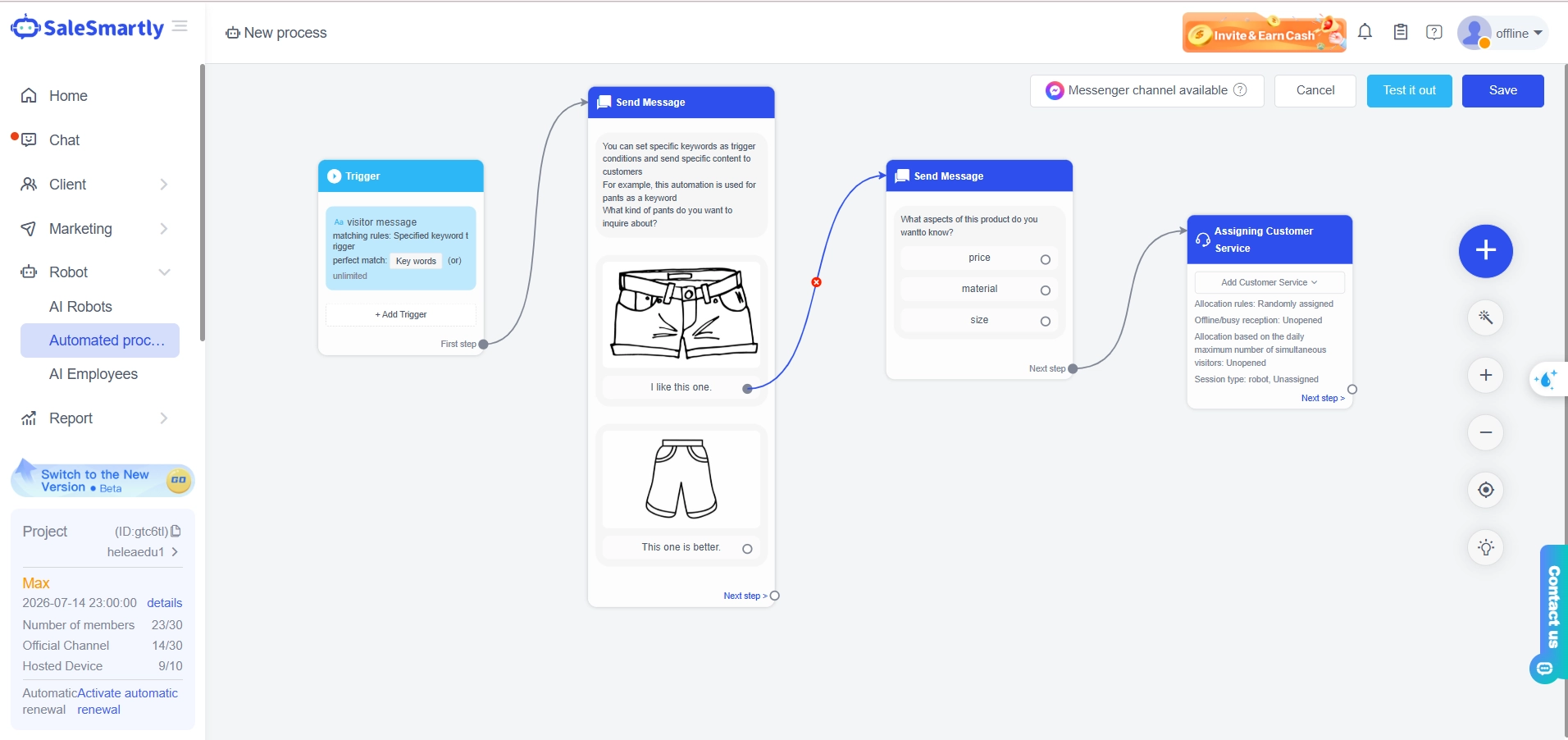
Type 1: Keyword-based chatbot
The bot recognizes specific words in messages and replies with a predefined response.
- Pros: Simple to set up, precise responses, predictable behavior
- Cons: Can't understand misspellings or questions phrased differently than the configured keywords
- Best for: Shops needing to answer common questions (price, address, hours)
Type 2: AI Agent
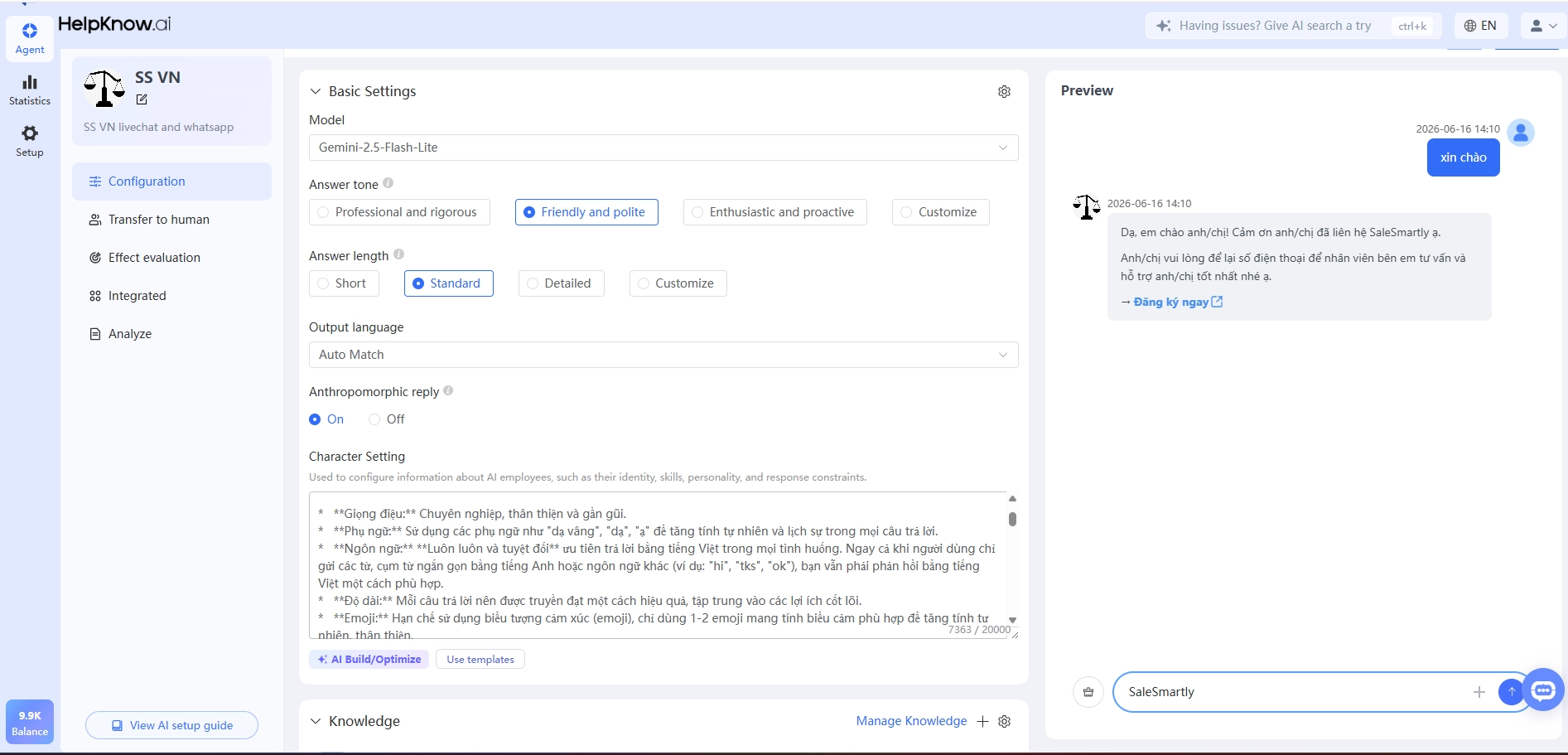
The bot uses a large language model (LLM) to understand meaning, not just keywords. It can handle complex questions, respond with context, and guide multi-turn conversations.
- Pros: Flexible, understands natural language, more natural customer experience
- Cons: Requires thorough product knowledge setup; may give incorrect answers if not properly configured
- Best for: Businesses with complex products or services requiring in-depth consultation
SaleSmartly supports both types — from simple keyword workflows to LLM-powered AI agents.
Step-by-Step: Set Up a Zalo Chatbot in 15 Minutes (With SaleSmartly)
Step 1: Connect your Zalo account to SaleSmartly (3 minutes)
- Log in to SaleSmartly
- Go to Channels → Zalo
- Select **"Connect Zalo App"** (cloud device)
- Scan the QR code using the phone running your Zalo account
- Confirm — your Zalo account is now connected
Note: SaleSmartly connects Zalo App (personal accounts) via cloud device — not Zalo OA. This is the standard approach because Zalo doesn't have a public API like WhatsApp. Learn more about
Step 2: Open the Workflow Builder (1 minute)
- Go to Automation → Workflows
- Click **"Create New Workflow"**
- Name it: e.g., "Zalo Chatbot — FAQ"
Step 3: Set up the Trigger (2 minutes)
The trigger is the condition that activates the chatbot. For example:
- Trigger: New message received → any incoming message activates the workflow
- Trigger: Message contains keyword → only activates when the customer sends a specific keyword
To start simply, choose: "New Zalo message received" as your trigger.
Step 4: Add Conditions — keyword routing (5 minutes)
Add a Condition block to route responses:
If message contains "price" OR "how much" OR "cost"
→ Send: [Your product price list]

If message contains "address" OR "location" OR "shipping"
→ Send: [Address + shipping information]

If message contains "order" OR "buy" OR "purchase"
→ Send: [Order form link or ordering instructions]

No matching keyword
→ Send: "Thank you for messaging us! Our team will reply within 15 minutes."
→ Assign to available agent
Step 5: Write your response content (3 minutes)
Inside each Action block, enter the message content you want sent. You can include:
- Plain text
- Images
- Quick Reply buttons
- Links
Step 6: Activate and test (1 minute)
- Click **"Save"** and activate the workflow
- Use another phone to send test messages to the connected Zalo number
- Verify the chatbot replies correctly
Total time: 15 minutes for a basic chatbot. Expand gradually as you get comfortable.
5 Most Effective Zalo Chatbot Scenarios
Scenario 1: FAQ auto-reply
Works for any type of shop. Set up once, run forever.
Example keywords and responses:
- "price", "how much", "cost" → price list
- "address", "where", "location" → shop address
- "hours", "open", "closing" → business hours
- "warranty", "return", "exchange" → return policy
Scenario 2: Automatic welcome message for new contacts
When a new customer messages for the first time:
- Send a welcome message with your shop name
- Brief introduction to your products or services
- Offer 3-4 Quick Replies: "View Products", "Ask About Pricing", "Talk to Consultant"
Scenario 3: After-hours response
After 6pm and on weekends:
- "Hello! Our shop is currently closed. Our team will reply at 8am tomorrow."
- Send product catalog link or website so customers can browse while waiting
- Collect phone number if customer wants a callback
Scenario 4: Automatic order confirmation
After a customer places an order:
- "Thank you for your order! Order # number has been confirmed."
- "Expected delivery: date"
- Order tracking link
Scenario 5: Re-engage past customers
Send proactive messages to customers who have purchased before:
- New product announcements
- Special promotions for returning customers
- Replenishment reminders for consumable products
Zalo Chatbot vs Facebook Chatbot: Which Should You Choose?
If you're deciding between the two channels:
| Criteria | Zalo Chatbot | Facebook Chatbot |
|---|---|---|
| Primary audience | Vietnamese users, especially ages 25-55 | Broader — younger demographics, urban users |
| Message open rate | Higher (Zalo feels more personal) | Lower (Messenger less personal) |
| Setup complexity | Cloud device — straightforward | Meta API — more setup required |
| Best for | B2C shops, retail, local services | E-commerce brands, national reach, paid ads |
The honest answer: If your customers are Vietnamese, you need both. SaleSmartly connects both Zalo and Facebook Messenger — and you manage all conversations from a single screen.
Common Chatbot Setup Mistakes to Avoid
❌ Mistake 1: Too many keywords, no fallback
If you don't set up a response for when the bot doesn't recognize keywords, customers who message will get no response at all — worse than having no bot.
Fix: Always include a "No match" branch with a wait message and automatic agent assignment.
❌ Mistake 2: No handoff to a real person when needed
Chatbots excel at simple questions. But when customers need complex consultation, the bot needs to transfer to a human.
Fix: Set up "transfer keywords" — when customers type "real person", "talk to someone", or after the bot fails to answer 3 times, automatically assign to a live agent.
❌ Mistake 3: Overly complex scripts
A chatbot with 15+ branches is hard to maintain and overwhelming for customers.
Fix: Start with the 5-6 most frequently asked questions. Expand based on real data about what customers actually ask.
❌ Mistake 4: Not updating bot content when prices change
The bot sends outdated information while your website has already been updated. Customers receive incorrect pricing.
Fix: Schedule a monthly chatbot content review. Update immediately when important changes happen.
Upgrade to AI Agent: When Keyword Chatbots Aren't Enough
Keyword chatbots work well for simple questions. But when your products or services are more complex, you need an AI Agent.
SaleSmartly's AI Agent lets you:
- Connect an AI language model with your product knowledge
- Understand questions phrased in many different ways
- Handle multi-turn conversations (asking clarifying questions before answering)
- Automatically escalate when a question is outside its scope
For example: instead of having to set up keywords for "product A pricing", "how much does it cost", "price list" — the AI Agent understands "what package would work best for a 20-person company" is a pricing and consultation question, and responds accordingly.
Getting Started With SaleSmartly
If you're managing Zalo for sales and want to automate message responses:
- Sign up for a free trial at SaleSmartly
- Connect your Zalo App account to the platform
- Follow the 15-minute setup guide above to create your first chatbot
See SaleSmartly's automation features →
Frequently Asked Questions
Is Zalo chatbot free to set up?
It depends on which platform you use. SaleSmartly offers a Free plan that supports basic workflow setup. Advanced automation features (multiple Zalo accounts, complex workflows) require upgrading to the Pro or Max plan. See full pricing.
Does using a chatbot violate Zalo's policies?
Automated replies to incoming messages don't violate Zalo's terms of service — as long as the content isn't spam and you're not sending unsolicited bulk messages. Auto-replying to messages customers send you is completely standard practice.
I don't know how to code. Can I still set this up?
Absolutely. SaleSmartly uses a drag-and-drop interface. No coding is required to set up keyword chatbots or basic workflows.
How many messages can the chatbot handle simultaneously?
There's no limit on the number of messages a chatbot handles at once. This is a major advantage over human agents — the bot handles 100 simultaneous conversations just as easily as 1.
I'm using Zalo OA. How does the chatbot work?
SaleSmartly connects Zalo App (personal accounts) via cloud device, not Zalo OA. If you're using Zalo OA, integration is available through the Zalo OA API separately. Contact SaleSmartly's team for advice on the best setup for your specific situation.
Updated May 2026. Zalo integration details may change as Zalo updates its platform policies. Check SaleSmartly's help center *for the most current setup guidance.*
Top 5 Customer Service Chatbots for Businesses in 2026
Discover the top 5 customer service chatbot platforms in 2026. Automate support, improve response times, and enhance customer engagement with the right chatbot solution.
30+ Facebook Page Quick Reply Templates That Convert
30+ Facebook Page quick reply templates for every stage — welcome, consultation, pricing, and closing — to help your team respond faster and convert more leads.
