Facebook Chatbot: How To Create And Set Up Scripts For Your Fanpage
Key Takeaways
- A Facebook chatbot is a tool that automates messaging on Facebook Messenger, enabling your fanpage to respond to customers 24/7 without admins needing to be online around the clock.
- Creating a chatbot on Facebook involves four main steps: identifying frequently asked questions, setting up conversation scripts, connecting the chatbot to your fanpage, and testing before going live.
- An effective Facebook chatbot script starts with a personalized greeting, classifies needs through quick-reply buttons, answers common questions, and transfers to an agent when requests exceed the bot's capabilities.
Your fanpage receives dozens of messages every day asking about pricing, shipping policies, and product recommendations. If the admin manually replies to each one, response times stretch out and customers move to a fanpage that responds faster. A Facebook chatbot solves this by automating responses on Messenger. So what exactly is a Facebook chatbot and how do you create one that fits a sales-focused fanpage?
What Is A Facebook Chatbot?
A Facebook chatbot is a tool that automates messaging on Facebook Messenger, enabling your fanpage to respond to customers automatically using pre-built scripts or artificial intelligence. When a customer sends a message to your fanpage, the chatbot receives the content, identifies the need, and sends an appropriate reply without the admin needing to be online.
In Vietnam, most online shops use Facebook fanpages as their primary sales channel. Customers message asking about prices through comments and inbox continuously, especially during peak hours (midday and evening). As a result, a Facebook chatbot helps your fanpage respond instantly during these peak hours, retaining customers before they switch to a competitor's fanpage.
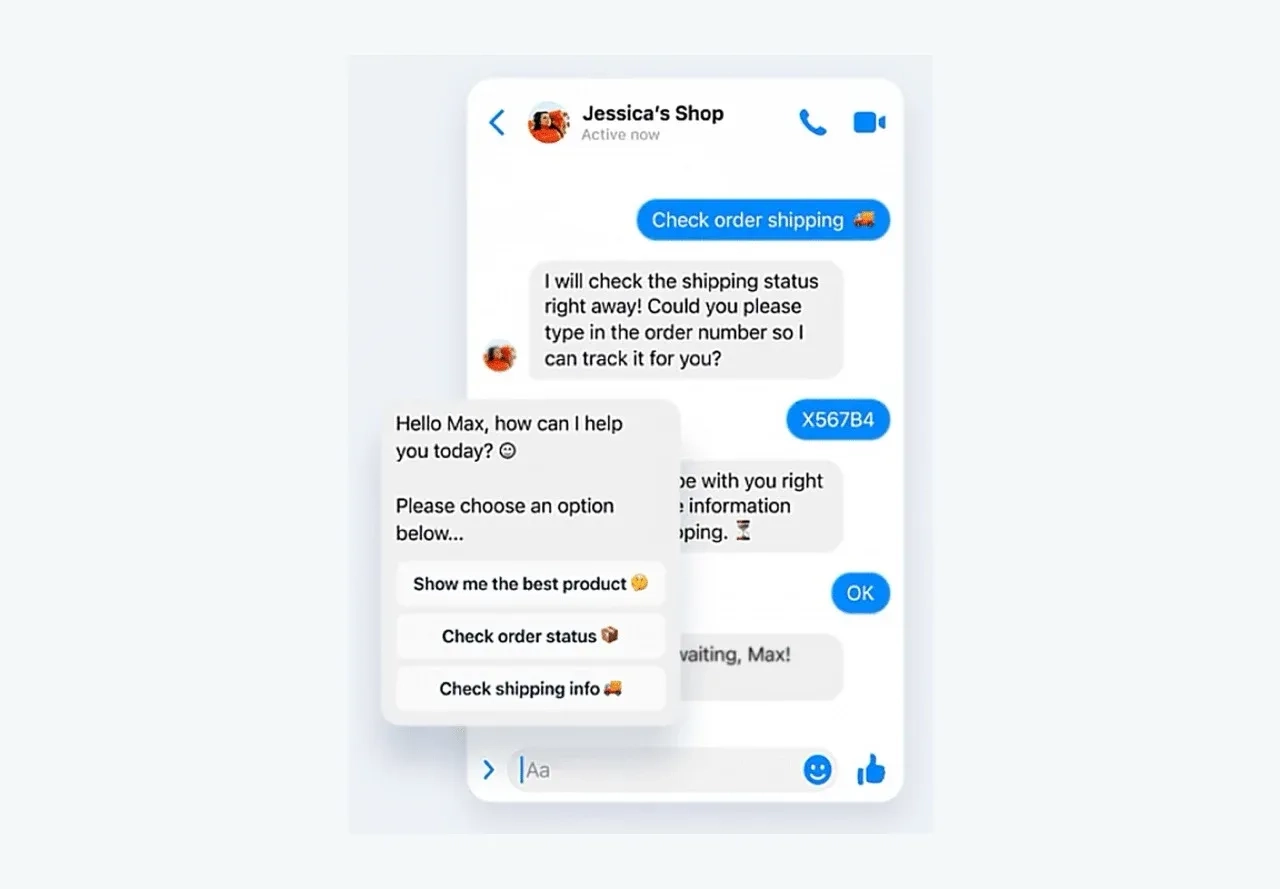
Script-Based Chatbots And AI Chatbots
When creating a chatbot for your personal Facebook or fanpage, you need to choose between two popular types. The table below summarizes the key differences:
| Criteria | Script-based chatbot | AI chatbot |
|---|---|---|
| How it works | Menus, buttons, pre-built question flows | NLP analyzes intent, responds flexibly |
| Responses | Fixed according to configured scripts | Generates new answers based on context |
| Setup time | Quick, no technical skills required | Requires training data and fine-tuning |
| Best for | FAQs, request classification, purchase guidance | Product consultation, open-ended questions |
| Cost | Low, many platforms offer free plans | Higher, depends on AI model used |
Most online shops in Vietnam start with script-based chatbots because they are quick to set up and cover the most frequently asked questions. Once the team has accumulated conversation data, they can add an AI chatbot to handle open-ended questions and personalized consultation.
What Benefits Does A Facebook Chatbot Bring To Sales Teams?
A Facebook chatbot helps your sales team respond instantly during peak hours, protect customer information in comments, and automate the workflow from consultation to order closing directly on Messenger. Sales teams operating through fanpages in Vietnam typically see five specific benefits when deploying a Facebook Messenger chatbot:
- Instant responses during peak hours: Vietnamese customers tend to send price inquiries during midday (11am-1pm) and evening (8pm-11pm). The chatbot replies instantly during these windows, reducing the rate of customers switching to a competitor because of long wait times.
- Auto-hiding comments containing personal information: When customers leave phone numbers or addresses in post comments, the chatbot automatically hides the comment and sends a private message via Messenger. This protects customer information and prevents competitors from accessing it.
- Automatic request classification and routing: The chatbot identifies the type of request (pricing, returns, complaints) and routes it to the appropriate agent. As a result, the admin does not have to read through every message to sort them manually.
- Closing orders directly on Messenger: The chatbot guides customers through product selection, delivery address confirmation, and order creation within the conversation flow, shortening the time from consultation to order close.
- Managing multiple fanpages from one interface: Teams running 2-3 sales fanpages simultaneously can manage chatbots across all pages from a single platform instead of logging into each page separately. Platforms like SaleSmartly unify Messenger along with Zalo, Instagram, WhatsApp, and live chat into one inbox, enabling omnichannel responses without switching between apps.
How To Create A Chatbot On Facebook For Your Fanpage
Creating a chatbot on Facebook for your fanpage involves four main steps. You identify the most frequently asked questions, set up conversation scripts, connect the chatbot to your fanpage, and test before going live.
Step 1: Define Goals And Identify Frequently Asked Questions
Before creating a chatbot for your personal Facebook or fanpage, list the 10-15 questions customers send through Messenger most often. Open the conversation history on your fanpage and record recurring questions ranked by frequency from highest to lowest.
Sales teams operating through fanpages in Vietnam typically encounter five common question categories:
- Pricing and product information: Price, size, color, material
- Shipping policy: Shipping fees, delivery time, coverage areas
- Return policy: Conditions, timeframe, process
- Order status check: Order number, delivery status
- Consultation requests: Product suggestions based on specific needs
Question categories 1 through 4 suit script-based chatbots because the answers are fixed. Meanwhile, category 5 (personalized consultation) suits an AI chatbot because it requires flexible responses tailored to each customer.
Step 2: Set Up Conversation Scripts
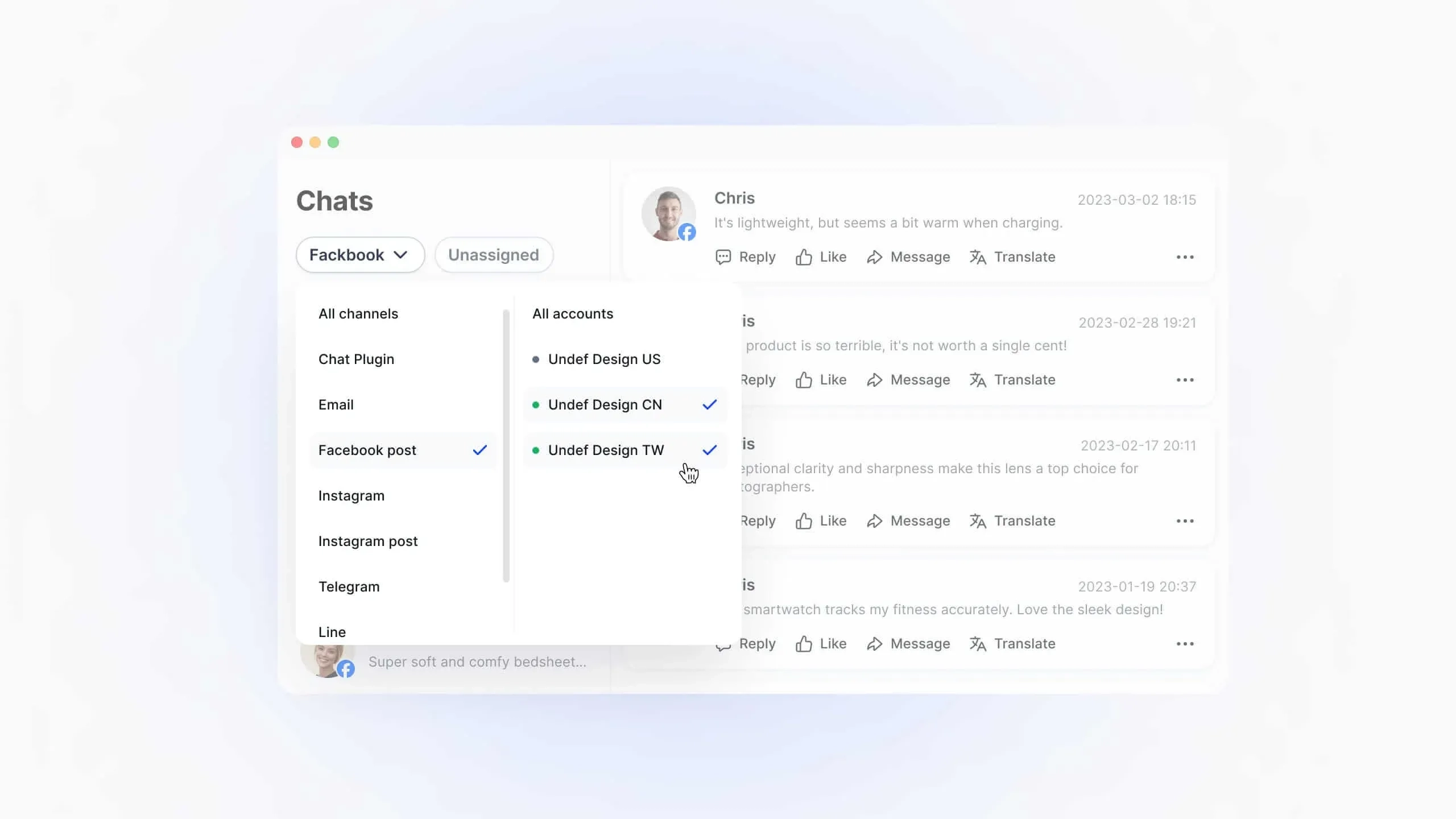
After identifying the question categories, the next step is building conversation flows for the chatbot. Each flow starts with a greeting, classifies needs through quick-reply buttons, and leads to the corresponding answer. Below are the scripting principles your sales team should follow when building conversation flows for a Facebook chatbot:
- Personalized greeting: Use the customer's name (Messenger provides this automatically) to create a friendly impression from the start.
- Classification via buttons: Limit each step to a maximum of 3-4 buttons so customers can choose easily. Too many options cause customers to abandon the conversation.
- Concise responses: Keep each message to a maximum of 2-3 sentences. Long messages on Messenger cause customers to skip the content.
- Agent transfer point: Always include a "Talk to an agent" button at every step so customers can reach a real person when needed. You can apply the sample scripts below to start running your chatbot right away.
Step 3: Connect The Chatbot To Your Fanpage
After finalizing the scripts, the next step is connecting the chatbot to your Facebook fanpage. This process is straightforward and usually takes just a few minutes with three main actions:
- Log into the chatbot platform with your Facebook account: Grant Messenger management permissions to the platform.
- Select the fanpage to connect: If you manage multiple fanpages, select the correct page that needs the chatbot.
- Activate the chatbot: Turn on auto-reply mode on Messenger.
Many platforms offer free plans so you can start testing a free Facebook Messenger chatbot. Beyond creating a chatbot for a single fanpage, teams managing multiple pages can connect all fanpages to a single platform for centralized chatbot management.
Step 4: Test And Run A Trial
Before launching the chatbot officially, thoroughly test the entire script by messaging your own fanpage as if you were a real customer. Your sales team should review four checklist items before running the Facebook Messenger chatbot live:
- Test every conversation flow: Click through all buttons to ensure each flow leads to the correct answer.
- Try out-of-script questions: Send questions the chatbot does not have scripts for to confirm it transfers to an agent properly.
- Check mobile display: Most Vietnamese customers use Messenger on their phones, so ensure messages, buttons, and images display correctly on small screens.
- Run a trial for 3-5 days: Monitor actual conversations, note questions the bot did not handle well, and update the scripts accordingly.
How To Create A Basic Facebook Chatbot Script
An effective Facebook chatbot script needs to follow a clear conversation flow, because this flow guides customers from the greeting to their desired outcome (getting information, placing an order, or connecting with an agent). Below is a sample script you can apply immediately for a sales fanpage:
Sample conversation flow:
Greeting:
"Hi [customer name], thank you for messaging [fanpage name]!
How can we help you?"

→ [Button 1] Ask about pricing
→ [Button 2] Check order status
→ [Button 3] Return policy
→ [Button 4] Talk to an agent
"Ask about pricing" flow:
"Which product category are you interested in?"

→ [Button 1] [Category 1]
→ [Button 2] [Category 2]
→ [Button 3] [Category 3]

After selecting a category:
"[Product name] is priced at [amount]. Would you like to place an order or need more information?"

→ [Button 1] Place order
→ [Button 2] More info → Transfer to agent
"Return policy" flow:
"[Fanpage name] supports returns within [number] days from the date of receipt.
Conditions: product must be unused with original tags intact.
Need to make a return or have other questions?"

→ [Button 1] Request a return → Collect order number → Transfer to agent
→ [Button 2] Back to main menu
When setting up scripts for your Facebook chatbot, your sales team should keep four important points in mind to ensure customers interact through the entire flow:
- Maximum of 4 buttons per step: Too many options cause customers to hesitate and abandon the conversation.
- Maximum of 2-3 sentences per message: Long messages on Messenger cause customers to skip content. If you need to convey more information, break it into multiple short messages.
- Always include an exit to the main menu: At each step, add a "Back to main menu" button so customers can easily switch to a different need.
- Set a default message for out-of-script questions: When the bot receives a question it does not have a script for, send a message like "Thank you, we'll transfer your question to an agent right away" and hand off the conversation.
Deploy Facebook Chatbot With SaleSmartly
When your sales team operates a Facebook fanpage alongside Zalo, Instagram, or WhatsApp, the biggest challenge is managing conversations from multiple channels within the same work shift.
SaleSmartly unifies Facebook Messenger along with Zalo, Instagram, WhatsApp, Telegram, and email into a single inbox. Your team sets up multi-model AI chatbots (ChatGPT, DeepSeek, Coze, Dify) for Messenger and other channels from the same management interface, combined with real-time translation across 130+ languages for fanpages serving international customers.
For fanpages that only sell on Facebook and need a simple script-based chatbot for Messenger alone, platforms specialized for Facebook are a better fit since they focus on a single channel. You can explore further our SaaS solutions.
Experience how SaleSmartly helps your team manage Facebook chatbots alongside every other chat channel.
Conclusion
A Facebook chatbot is a tool that automates messaging on Messenger, enabling your fanpage to respond to customers instantly without the admin needing to be online around the clock. This article walked through four steps to create a Facebook chatbot for your fanpage (identify frequently asked questions, set up scripts, connect the fanpage, test and trial) along with a complete sample script you can apply immediately. Start with the 5-10 most frequently asked questions on your fanpage, build scripts for this group first, then expand gradually as you accumulate real conversation data.
AI Agent: How It Works, Use Cases, Comparison with AI Chatbots
An AI Agent is an autonomous AI system capable of planning and executing multi-step processes. Learn how it works, practical use cases, and what sets it apart from AI Chatbots.
Top 7 Chatbot Software By Use Case in 2026
Compare 7 chatbot software options across 3 categories: omnichannel CS, social media selling, and AI chatbot platforms. Find the right chatbot for your team.
