How For Businesses To Distribute Smart Conversations In SaleSmartly
In today's fierce business environment, the ability to seize opportunities quickly is a key factor for success. Many businesses are looking for effective tools that help them respond to customers immediately and increase conversion rates.
A system that automatically allocates customers as quickly as possible to the right support staff will ensure that each customer gets the best support possible. From there, increase satisfaction and promote revenue growth. For customer service teams, automated conversation allocation (conversation routing) provides organization and efficiency, while minimizing the risk of missed requests or customers leaving the conversation.
4 ways to distribute conversations to employees
Method 1: Allocation alternately in a loop
This method will distribute conversations evenly to all employees. This division ensures:
- Fair workload among everyone, avoiding one employee being overloaded.
- Fast response time, ensuring all requests are handled promptly.### Method 2: Allocation based on professional skills With skill-based routing, conversations are distributed based on
- Customer requirements
- Staff expertise
- Language or technical knowledge required This way helps customers receive the most appropriate and professional support, taking full advantage of the strengths of each team member.
Method 3: Employees choose the conversation themselves
This method allows agents to choose the conversations they are most confident handling. Advantages include:
- Increase initiative, thereby improving motivation and job satisfaction.
- Customer care is more personalized because employees choose requests that match their expertise.
- However, to avoid delayed responses and ensure fair distribution, strict supervision is required.
Method 4: Allocation based on workload
The system will automaticallyautomatically allocate conversations based on staff availability, based on
- Current workload
- Conversations are being processed
- Predefined priority settings This flexible allocation method enables quick response, while keeping the workload balanced across the team.## Instructions for setting up a rotating conversation allocation mechanism
Step 1: Click Process automation and select the applicable channel (can choose chat plugin, WhatsApp, Messenger, Facebook comments, Instagram posts, Instagram messages, Telegram, Line, Email, Slack and WeChat for Business). You can also create a shared flow across all channels. Step 2: Select New session or Visitor sends message as the trigger condition. The process will start when there is a new chat session or when the customer enters the activation keyword. Step 3: Set a welcome message to guide customers in asking questions. Step 4: Set up delay activation to give customer service staff more time to process the conversation. Step 5: Select assigned staff and applicable sessions. You can also set whether or not to allocate conversations to busy/offline agents. By default, agents who are busy or offline will not be allocated conversations. The status of the customer service agent can be adjusted in the upper right corner.## Instructions for setting up conversation allocation based on expertise The core of allocating conversations according to team capacity is to accurately determine the expertise of each customer service employee, thereby effectively allocating conversations. In fact, SaleSmartly uses AI to automatically identify customer needs, ensuring requests are routed to the right employee. Attribution factors can be based on product group, technical support, or language used.
Illustrative example: An airline's customer service team wants to allocate requests related to after-sales service. They can first classify based on the language the customer uses. Then, the chatbot asks the question: "What service support do you need?" and offers options such as "Refund", "Exchange", "Order lookup", etc. Depending on the customer's choice, the system will automatically transfer the conversation to the correct employee in the group. Thanks to this mechanism, each request is handled by the right expert, improving response speed, quality and customer experience.Step 1: Tap Auto Flow and select the applicable channel (you can choose chat plug-in, WhatsApp, Messenger, Facebook comments, Instagram, Instagram posts, Line, Email, Slack, and WeChat for business). You can also create a common process for all channels. Step 2: Select New session or Visitor sends message as the trigger condition. The flow will be triggered when a new session is received or when a customer activates a keyword. Step 3: Set filtering conditions, such as customer language, consulting question type, etc. Step 4: Assign specific customer service staff to handle different requests.
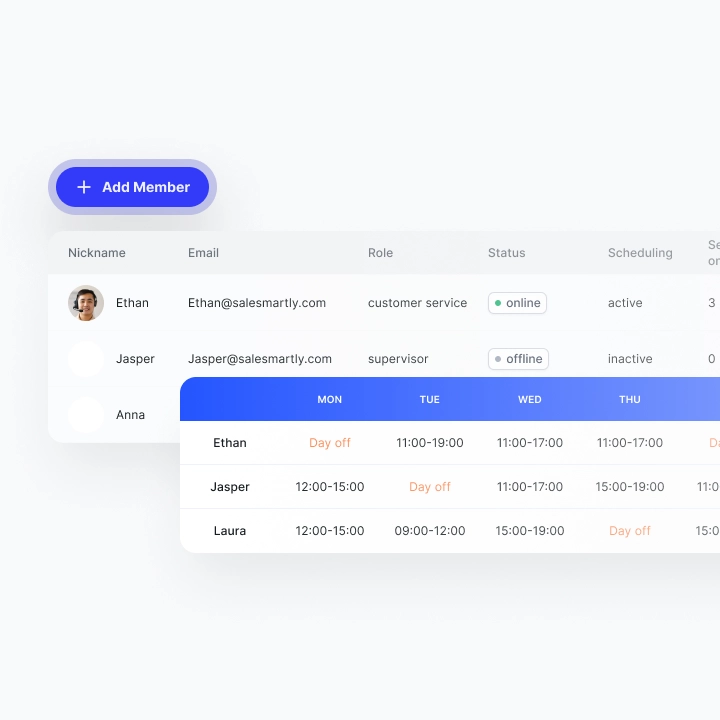
Instructions for setting up employee self-select conversation mode
In the Live Chat section, find the session Unassigned, then click Join Session and send a response. After responding to the customer, the conversation will automatically move to the chat page of the staff in charge and will no longer be displayed in the Unassigned section. You can view the information of the person in charge in the Chat information section.## Instructions for setting up conversation allocation based on employee expertise In Settings - Chat Settings, you can allocate chats based on the following factors:
- Number of sessions each worker is processing
- Order of customer care members
- Member reception rate Member Reception Rate: This weight is used for distribution based on each member's daily chat reception limit. Go to Team Management to set up.
For example: If members A and B both have reception rights for the same conversation, with A's limit being 100 and B's being 200, then the probability of distributing a new conversation to A is 1/3, and to B is 2/3. Members who do not have the right to receive will not be distributed. Returning customers can also be assigned to the same customer service agent who served them before.
5 Common Mistakes in Chatbot Design and How to Fix them
Learn 5 common chatbot design mistakes that are easy to make such as not providing clear options, information overload in conversations, confusing scripts, too high expectations for chatbots,... and quick and effective solutions for businesses.
SaleSmartly Translates 134 Languages: Breaking Barriers to Going Global
SaleSmartly provides translation features in 134 languages, helping businesses break down language barriers when doing business globally.
