What Is CRM Software? Features, Types And How To Choose The Right Fit
Key Takeaways
- CRM software (Customer Relationship Management) helps sales, marketing, and customer service teams manage all customer information, interaction history, and relationships in a single place.
- CRM is classified into four groups by use case: Sales CRM manages the sales pipeline, Marketing CRM automates campaigns, Service CRM handles support requests, and Conversational CRM unifies omnichannel conversations.
- The global CRM market is projected to reach $145.6 billion by 2029, with cloud-based CRM accounting for 87% of all deployments.
So what is CRM software, and which type of CRM fits your team's size and workflow? This article breaks down the core benefits, practical classifications by use case, and selection criteria to help you find the right solution.
What Is CRM Software?
CRM software (Customer Relationship Management) is a technology tool that helps teams manage all information, interaction history, and relationships with both prospects and existing customers. Data from sales, marketing, and customer service is unified in one place, rather than scattered across multiple spreadsheets and separate applications.
First, it is important to distinguish two concepts that are often used interchangeably. CRM is a customer-centric business philosophy, while CRM software is the tool that helps teams execute that philosophy. A modern CRM system typically manages the following types of data:
- Contact information: Names, phone numbers, emails, addresses, and job titles of customers and prospects.
- Interaction history: All emails, calls, chat messages, and meetings that have taken place with each customer.
- Transaction data: Purchase history, quotes, contracts, and order values.
- Support requests: Customer service tickets, resolution progress, and customer feedback.
The global CRM market is projected to reach $145.6 billion by 2029 according to Yahoo Finance. In Vietnam, the CRM market reached approximately $220 million in 2025, Ken Research reported, growing at 2.5% annually. This growth reflects the increasing need for teams to manage the customer journey systematically from the first point of contact through to long-term loyalty.
What Benefits Does CRM Software Bring To Your Team?
CRM software helps your team centralize customer data in one place, automate repetitive tasks, personalize communication at scale, and shorten support request handling time. These four benefits directly impact the daily performance of each department.
| Benefit | Sales | Marketing | Customer Service |
|---|---|---|---|
| Centralized data | Full view of each prospect's history and status | Unified customer profiles for segmentation | Complete interaction history when customers reach out again |
| Automation | Auto follow-up reminders, pipeline stage updates | Automated email sequences and lead scoring | Auto ticket assignment and SLA tracking |
| Personalization | Tailored proposals based on purchase history | Targeted campaigns by behavior segment | Responses informed by previous conversations |
| Faster handling | Reduced time searching for customer info | Quicker campaign setup with templates | Shorter resolution time with full context |
In other words, these four benefits cover all four stages of the customer funnel. At the Lead Capture stage, CRM helps record and classify prospects from multiple sources. During the Nurturing stage, the system automates follow-up and progress tracking. At the Conversion stage, CRM supports the sales team in managing the pipeline and closing deals. Finally, at the Retention stage, CRM logs support requests and maintains post-sale engagement.
Common Types Of CRM Software
CRM software is classified into four groups by use case. Sales CRM focuses on the sales pipeline, Marketing CRM automates campaigns, Service CRM manages support requests, and Conversational CRM unifies customer conversations from multiple channels.
Sales CRM
Sales CRM is suited for sales teams that need to manage a multi-stage pipeline, from prospecting to closing deals. The system supports lead classification, quote creation, revenue forecasting, and automated follow-up reminders. Additionally, Sales CRM typically provides visual dashboards for managers to track each salesperson's performance in real time.
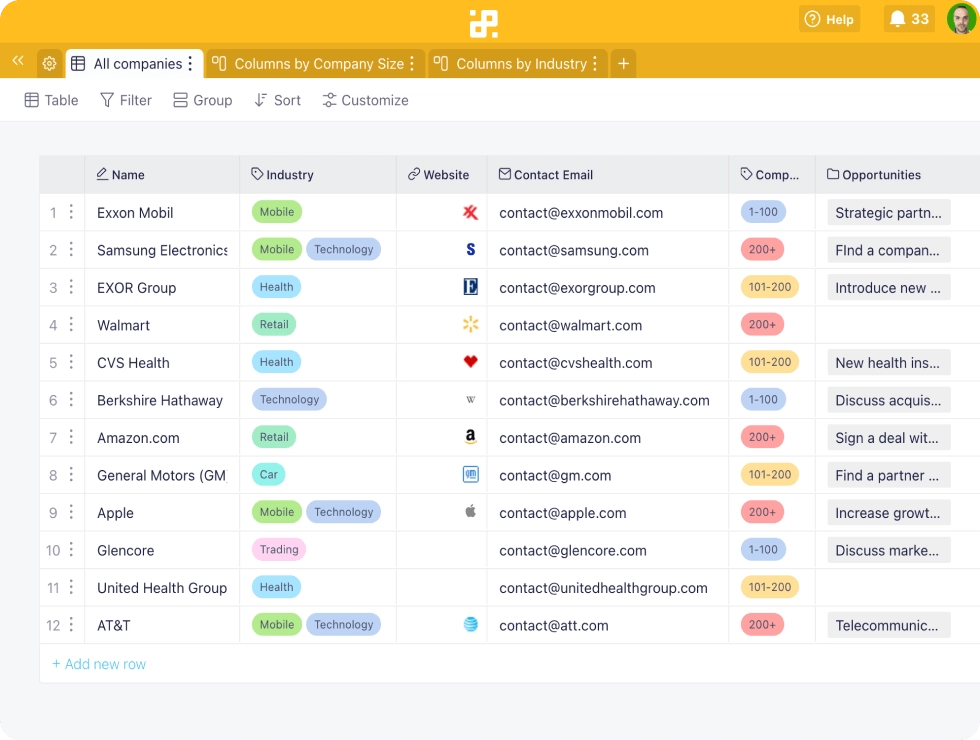
Examples: Salesforce, HubSpot CRM, Pipedrive, Getfly.
Marketing CRM
Marketing CRM helps marketing teams automate emails, segment customers by purchase behavior, score leads, and measure campaign ROI. As a result, marketing managers can send personalized messages to each customer group rather than sending generic mass emails.
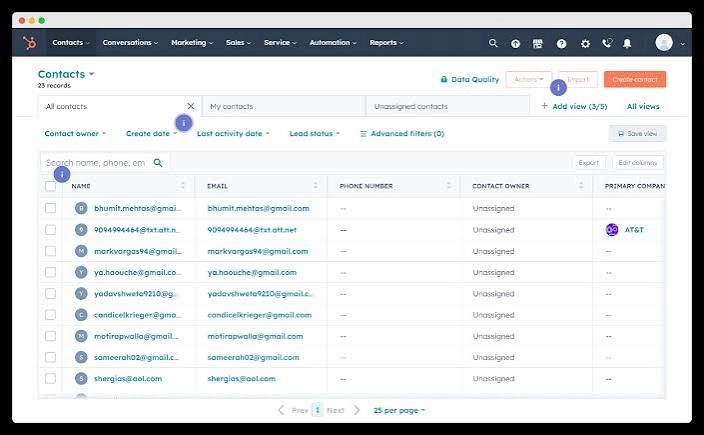
Examples: HubSpot Marketing Hub, Zoho CRM.
Service CRM
Service CRM focuses on managing support tickets, setting SLAs (response time commitments), building a knowledge base, and auto-assigning agents. This type of CRM is suited for customer service teams that handle a high volume of requests daily and need to track resolution progress end-to-end.
Examples: Salesforce Service Cloud, Freshdesk.
Conversational CRM
Conversational CRM unifies conversations from multiple chat and messaging channels (Zalo, Facebook Messenger, Instagram, WhatsApp) into a shared inbox, while linking customer data to each conversation. This type of CRM is suited for teams that operate customer service primarily through messaging channels, where conversation history is the most important source of customer data.
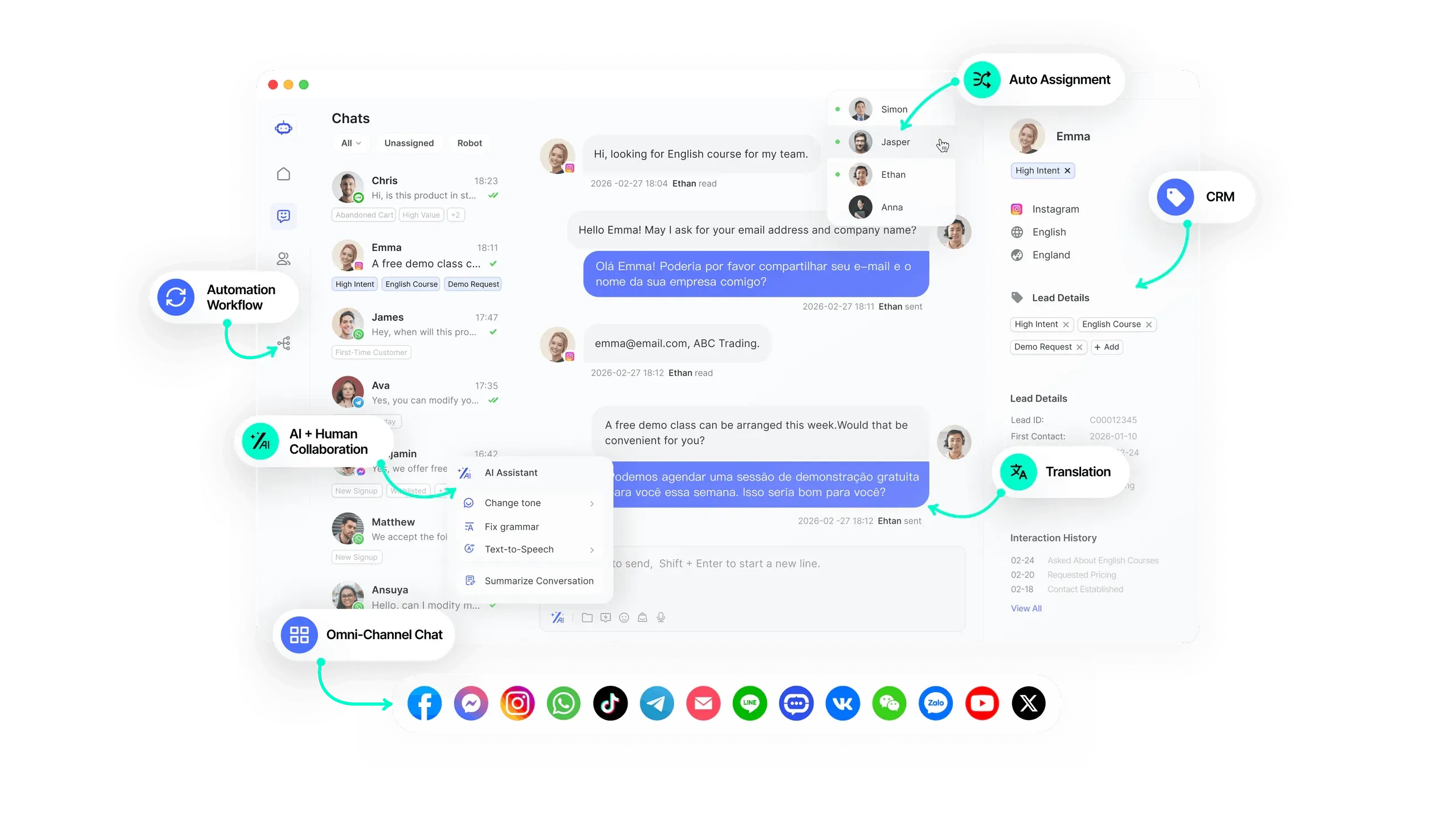
Example: SaleSmartly.
The summary table below helps you quickly compare the four types of CRM software by focus area and target audience:
| CRM Type | Core Focus | Primary Users | Best For |
|---|---|---|---|
| Sales CRM | Pipeline management, quotes, forecasting | Sales teams | Managing multi-stage deals from lead to close |
| Marketing CRM | Campaign automation, lead scoring, segmentation | Marketing teams | Personalizing outreach at scale |
| Service CRM | Tickets, SLA, knowledge base | Customer service teams | Handling high-volume support requests |
| Conversational CRM | Unified inbox, chat history, omnichannel | CS teams on messaging channels | Managing conversations across Zalo, Messenger, WhatsApp |
Cloud CRM And On-Premise CRM
Beyond classification by use case, the type of CRM software also depends on how it is deployed. Cloud CRM currently accounts for 87% of all deployments globally according to DemandSage, thanks to flexible pricing and the ability to access from any device.
| Criteria | Cloud CRM | On-Premise CRM |
|---|---|---|
| Deployment | Hosted by the provider, accessed via browser | Installed on the company's own servers |
| Cost | Monthly/annual subscription, no upfront infrastructure | High initial investment, ongoing maintenance |
| Access | From any device with internet | Limited to the internal network |
| Customization | Moderate, depends on the platform | High, full control over the system |
| Best for | SMEs, remote teams, fast-growing businesses | Large enterprises with strict data sovereignty requirements |
For small and medium-sized teams in Vietnam, Cloud CRM is the most popular choice because it requires no dedicated IT infrastructure and allows teams to start with a plan that fits their current scale.
CRM Software In Practice
CRM software is applied differently depending on how your team interacts with customers. Below are three common scenarios:
- Managing the pipeline and closing sales: If your sales team is currently tracking prospects on spreadsheets, Sales CRM helps classify leads by interest level, send automated follow-up reminders, and provide weekly or monthly revenue dashboards.
- Segmenting customers and personalizing campaigns: If you are sending the same promotional email to your entire list, Marketing CRM allows you to group customers by purchase behavior, interaction frequency, and order value to send the right message to the right segment.
- Unifying customer service conversations from multiple channels: If your customer service team is constantly switching between Zalo, Facebook Messenger, Instagram, and WhatsApp, Conversational CRM unifies all messages into a shared inbox and links interaction history to each customer regardless of which channel they use.
How To Choose The Right CRM Software For Your Team?
Your team should evaluate CRM software based on six practical criteria. Ease of use determines whether staff will actually use the system daily, integration capability ensures the CRM connects with existing tools, and scalability allows the system to grow with your team.
- Ease of use: 83% of businesses report that getting employees to adopt the system is the biggest challenge when implementing CRM (DemandSage). A simple interface with fewer steps helps teams get started in days rather than weeks of training.
- Integration capability: The CRM needs to connect with email, calendar, chat channels (Zalo, Messenger, WhatsApp), accounting software, and marketing tools your team is already using. A system that operates in isolation creates additional manual steps rather than reducing them.
- Scalability: The system must accommodate team growth without requiring a complete platform migration.
- Data security: Role-based access control, data encryption, and compliance with personal data protection regulations. Especially important when the CRM stores sensitive information such as phone numbers, purchase history, and conversation content.
- Mobile support: Sales and customer service teams frequently work outside the office and need a fully functional mobile app to update data anytime.
- Total cost of ownership: Includes license fees, implementation, training, integration, and upgrades over time. Free plans are suitable for testing, but you should assess costs when scaling up.
If most of your team's interactions happen through chat and messaging, SaleSmartly unifies conversations from Zalo, Facebook Messenger, Instagram, WhatsApp, Telegram, and email into one platform, combined with per-agent performance analytics and real-time translation across 130+ languages. Your team can integrate channels within minutes.
Discover how SaleSmartly supports omnichannel conversation management for customer service teams!
Conclusion
The first step when choosing CRM software is to identify which channel your team uses most to interact with customers, rather than comparing feature lists across platforms. If most communication happens through chat and messaging, Conversational CRM delivers value faster than traditional Sales CRM. Start by trying 2-3 platforms that fit your current team size for free, evaluate ease of use during the first 2 weeks, then commit to a long-term investment.
FAQs
What Is The Difference Between ERP And CRM?
CRM focuses on managing relationships with external customers (sales, marketing, customer service), while ERP manages internal processes (accounting, inventory, production, HR). Many businesses use both and integrate them to synchronize data between front-office and back-office.
What Is The Best CRM Software Available Today?
No single CRM software fits every team. Salesforce and HubSpot are popular with international businesses, Getfly and MISA AMIS CRM are widely used by Vietnamese businesses for sales pipeline management, while SaleSmartly is suited for customer service teams managing omnichannel conversations. Selection criteria depend on team size, primary communication channel, and budget.
Are There Any Effective Free CRM Software Options?
HubSpot CRM offers a free plan with basic contact and pipeline management. Zoho CRM Free supports up to 3 users. SaleSmartly has a Free plan for omnichannel conversation management. As your team grows, you should reassess whether the free plan still meets your feature requirements.
How Do You Use CRM Software Effectively?
Start by importing existing customer data into the CRM, setting up the pipeline or conversation workflow, and training your team to use it daily during the first 2 weeks. The decisive factor is ensuring every team member updates customer data after each interaction, rather than keeping separate notes outside the system.
What Is NPS? How To Measure And Improve Customer Loyalty
NPS (Net Promoter Score) measures customer loyalty. Learn how to calculate NPS, classify 3 customer groups, and apply strategies to improve your score.
Zalo CRM: How To Connect Zalo With CRM And Choose The Right Fit
Zalo CRM is a customer management solution integrated with Zalo OA. Learn how to connect Zalo with CRM, compare platforms, and choose the right fit for B2B teams.
